
Easy Agile Review is being discontinued and will no longer be available from 7 September 2026.
This page explains what this means for you and what to do before the app is fully retired.
What’s changing?
Easy Agile Review is being retired on 7 September 2026.
Because Review is built on Atlassian Forge, all data stored in the app will be permanently deleted on 7 September 2026. This includes:
-
All Review boards and Review items
-
Mood survey responses
-
All incomplete and actioned action items
Export your incomplete action items
Before access ends on 7 September 2026, you can export every incomplete action item so your team keeps this improvement history.
The CSV export captures every incomplete action item across all Reviews on your board, not just the most recent Review.
What gets exported
Each export includes all action items that haven't been marked as ‘Done’ for the Jira board you are currently accessing Review from.
The CSV lists actions in chronological order, from your oldest Review to your most recent.
The file contains one row per incomplete action item, with these columns:
|
Column name |
Details |
|---|---|
|
Action item |
The text of the action as shown in Review |
|
Review name |
The Review the action came from |
|
Assignee |
The assignee’s name, or Unassigned if no one is assigned |
|
Created date |
The date the action was created (YYYY-MM-DD) |
|
Reactions |
The number of emoji reactions on the action |
A few things to know about the file:
-
It’s named after your board. For example,
incomplete-actions-my-team-board.csv -
If you're working in a project-scoped Review rather than a board, the export still works and is named after the project.
There is no single export that covers incomplete action items from every Jira board at once. The export covers a single Jira board at a time. If your team works across more than one Jira board, you will need to run a separate export from each Jira board to capture all your incomplete actions.
How to export your incomplete action items
Anyone with access to the board can run the export on behalf of the team.
There are two places you can start an export:
-
The Export incomplete actions button in the board header (always available)
-
The Export all incomplete actions button in the Incomplete actions panel
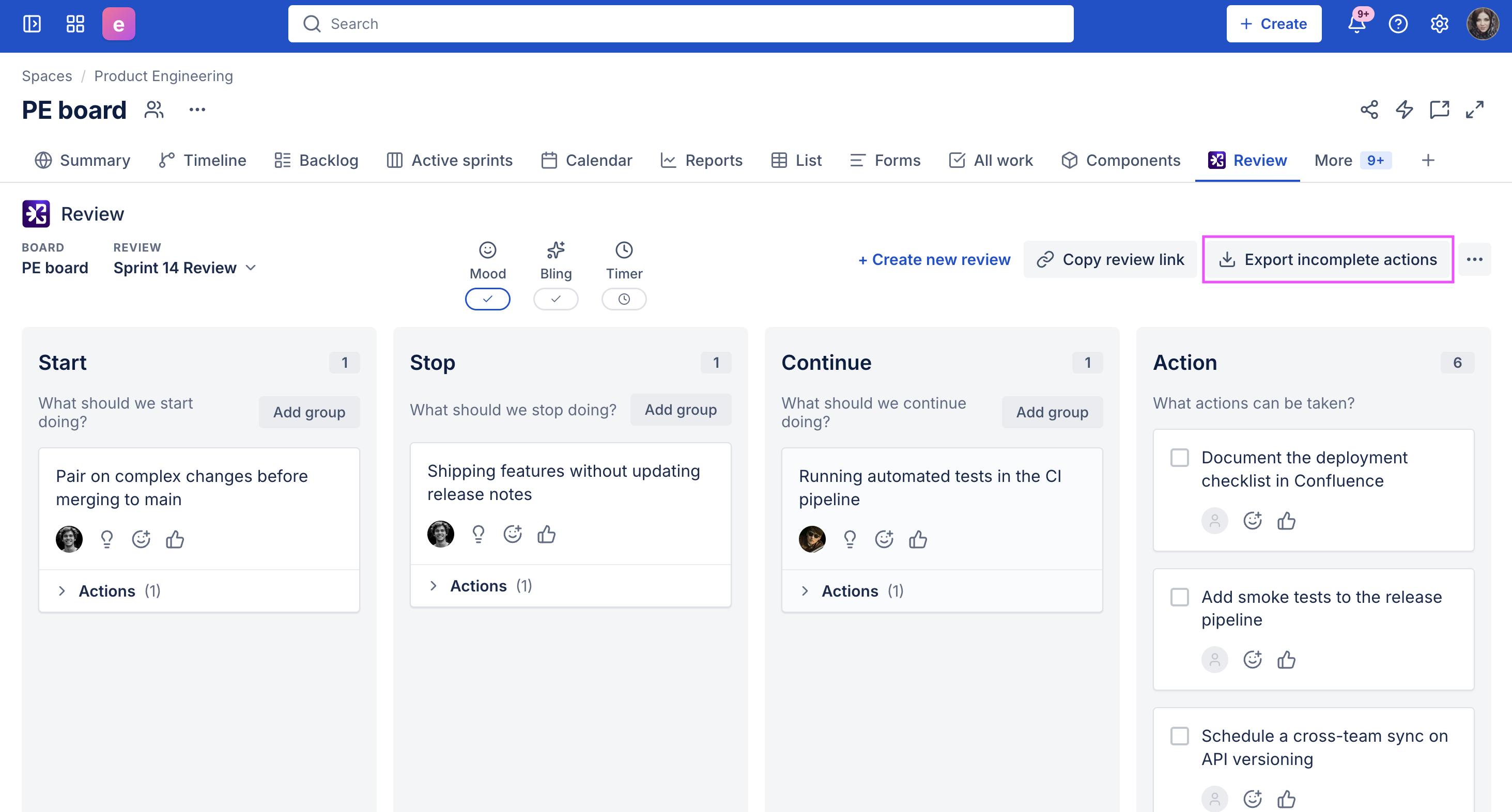
Both buttons start the same export and download the file immediately.
From the board header
-
Open your Review board
-
Select Export incomplete actions from the top-right of the board header
The CSV will download straight away - there is no confirmation dialog.
The header button is always present, so you can export even in weeks where the Incomplete actions panel is hidden or empty.
From the Incomplete actions panel
-
Open your Review board
-
In the Incomplete actions panel, select Export all incomplete actions at the bottom of the column
The CSV will download straight away - there is no confirmation dialog.
The Incomplete actions panel only appears when your board has more than one Review. If you don’t see the panel, use the Export incomplete actions button in the header instead.
Questions?
If you have any questions, contact our support team.