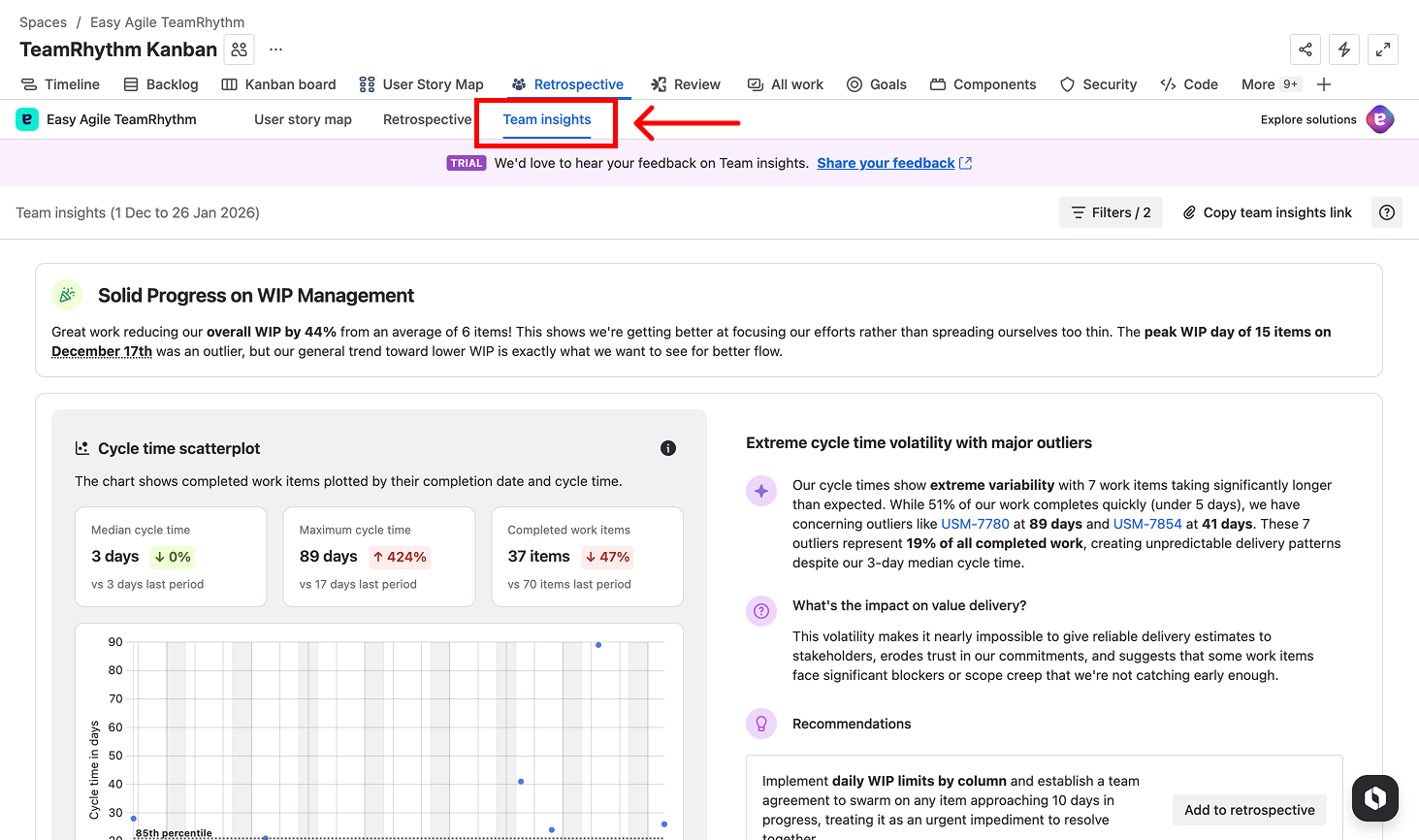
What is Team Insights?
Team Insights provides your team with clear, actionable insights into your delivery health, using your team's Jira data. It's designed for team members, team leads, engineering managers, and agile coaches who want to understand and improve how their team works—without needing to be a flow metrics expert.
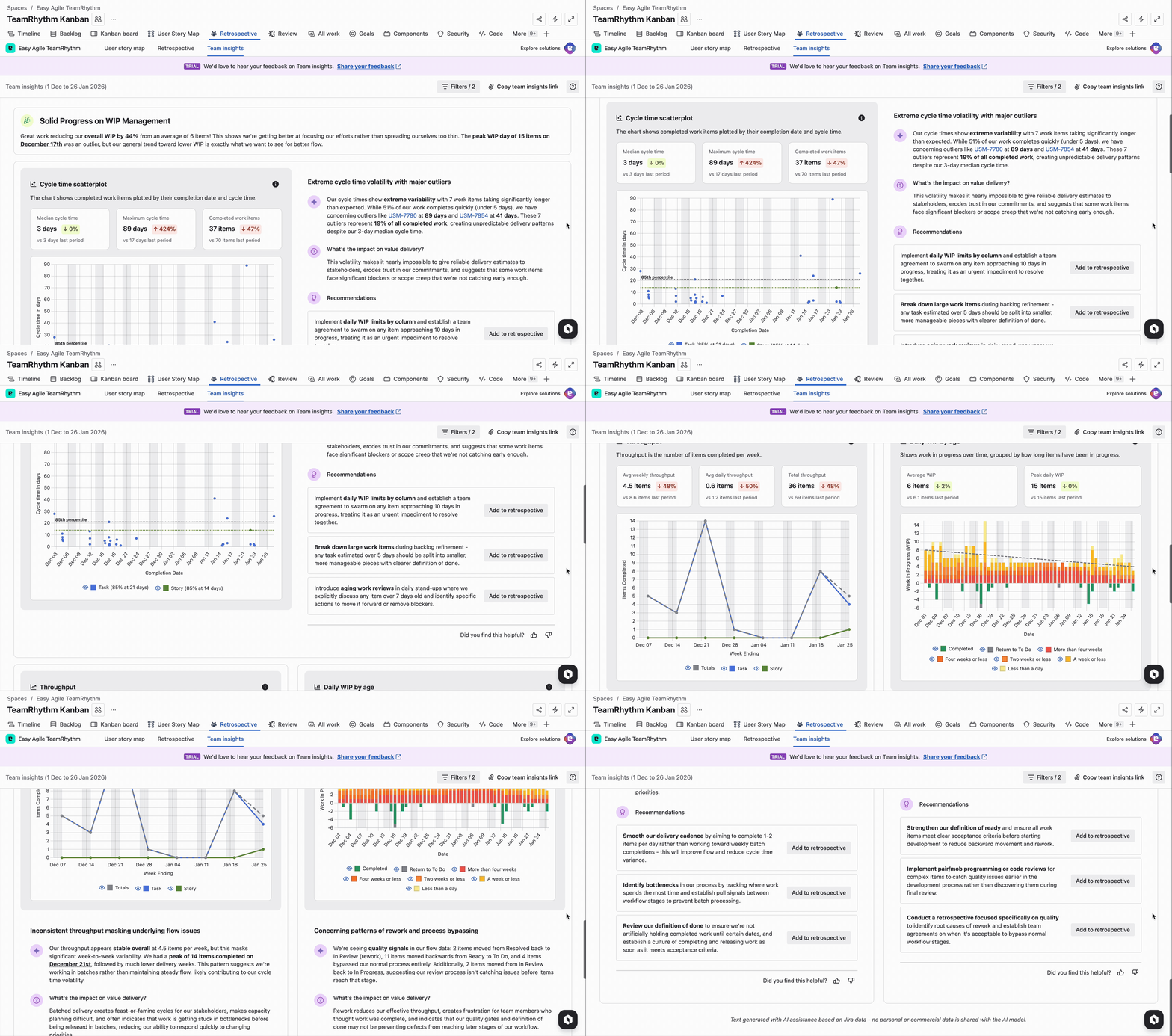
It turns flow metrics and delivery data into shared understanding, so your team can:
-
Uncover trends and bottlenecks
-
Spark meaningful discussions
-
Identify high-impact improvements
-
Build trust through transparency
Why We Built Team Insights
Team Insights was created to address a fundamental challenge: how do we help teams improve when agile coaches can't be everywhere at once?
In this video, Nick Muldoon, Chief Innovation Officer and co-founder of Easy Agile, shares the story behind Team Insights including his experience as the first product manager for Jira Software and his time at Twitter, where he faced the challenge of bringing agile practices to over 320 teams with only 3 agile coaches.
Note: This video was recorded when the feature was called "Team Report." The functionality and features have since evolved, but the core vision remains the same: to democratise agile coaching and help teams self-serve the insights they need to improve.
Key themes from the video:
-
The challenge of scaling agile coaching across distributed teams
-
Why teams need self-service access to flow metrics and insights
-
How Team Insights helps teams identify improvement opportunities
-
The vision to help teams realise the benefits of being agile
Why Use Team Insights?
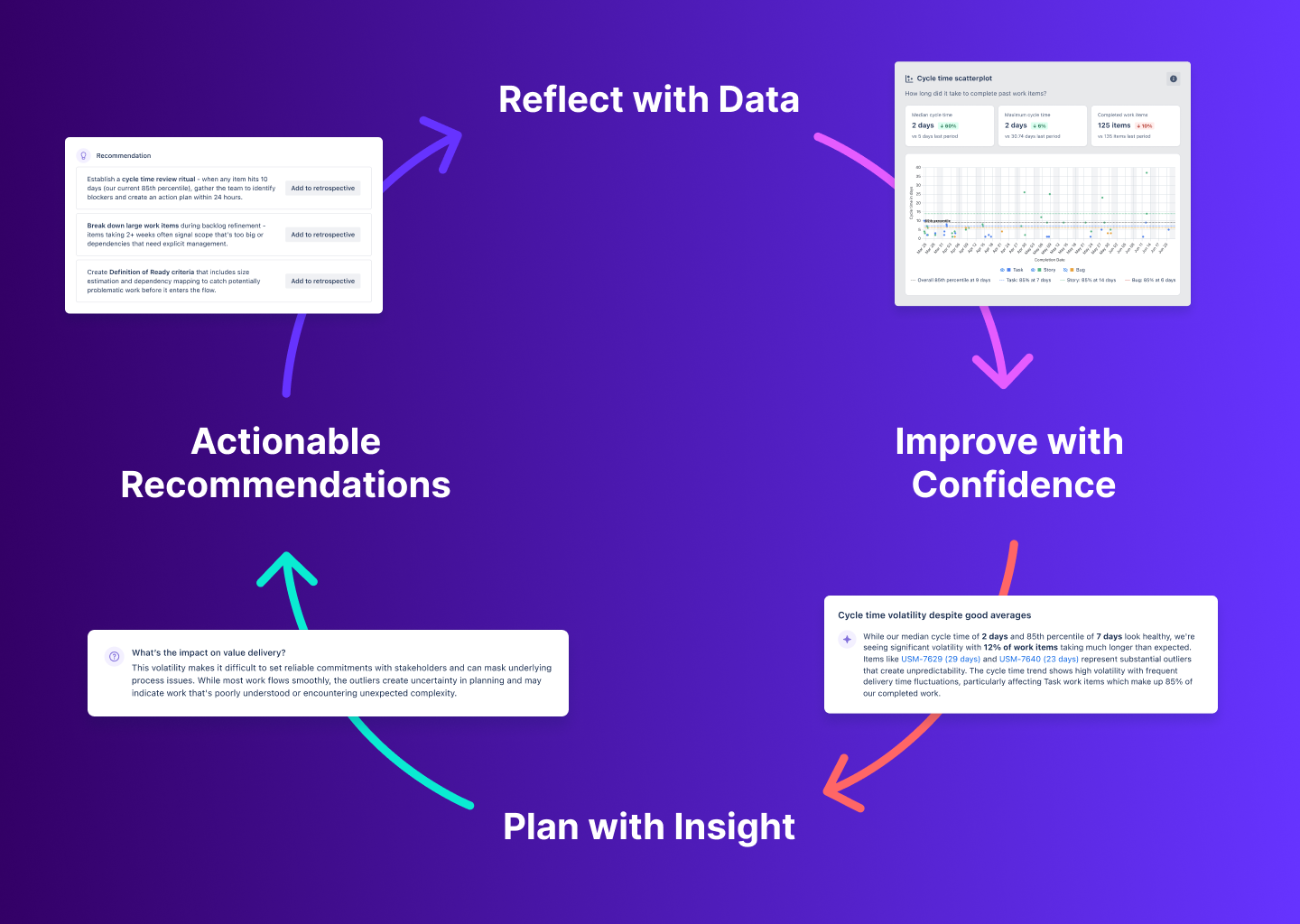
Team Insights is designed to amplify your team's feedback loops:
Reflect with Data: See how work is really flowing through the system.
Improve with Confidence: Use evidence to guide your retrospectives and process changes.
Plan with Insight: Forecast and commit with realistic expectations.
Actionable Recommendations: Each insight includes specific next steps you can take, with the ability to add them directly to your retrospective.
How to Access Team Insights
-
Open TeamRhythm in your Jira site
-
Navigate to the User Story Map or Retrospective tab from your board or project sidebar
-
Select the Team Insights option