
You can create new Jira work items directly from the Easy Agile Roadmaps timeline. This lets you add work exactly where it belongs on the roadmap, without switching context or opening Jira.
This page explains how to create work items in context on a roadmap. If you want to add existing Jira work items instead, see Schedule work on the roadmap.
If you want to plan work before creating a Jira issue, you can use roadmap items instead. Roadmap items let you explore and schedule ideas on your roadmap before converting them to Jira work items.
See Roadmap items.
Create a work item
You can create a work item anywhere on the roadmap timeline.
1. Hover over a row on the roadmap
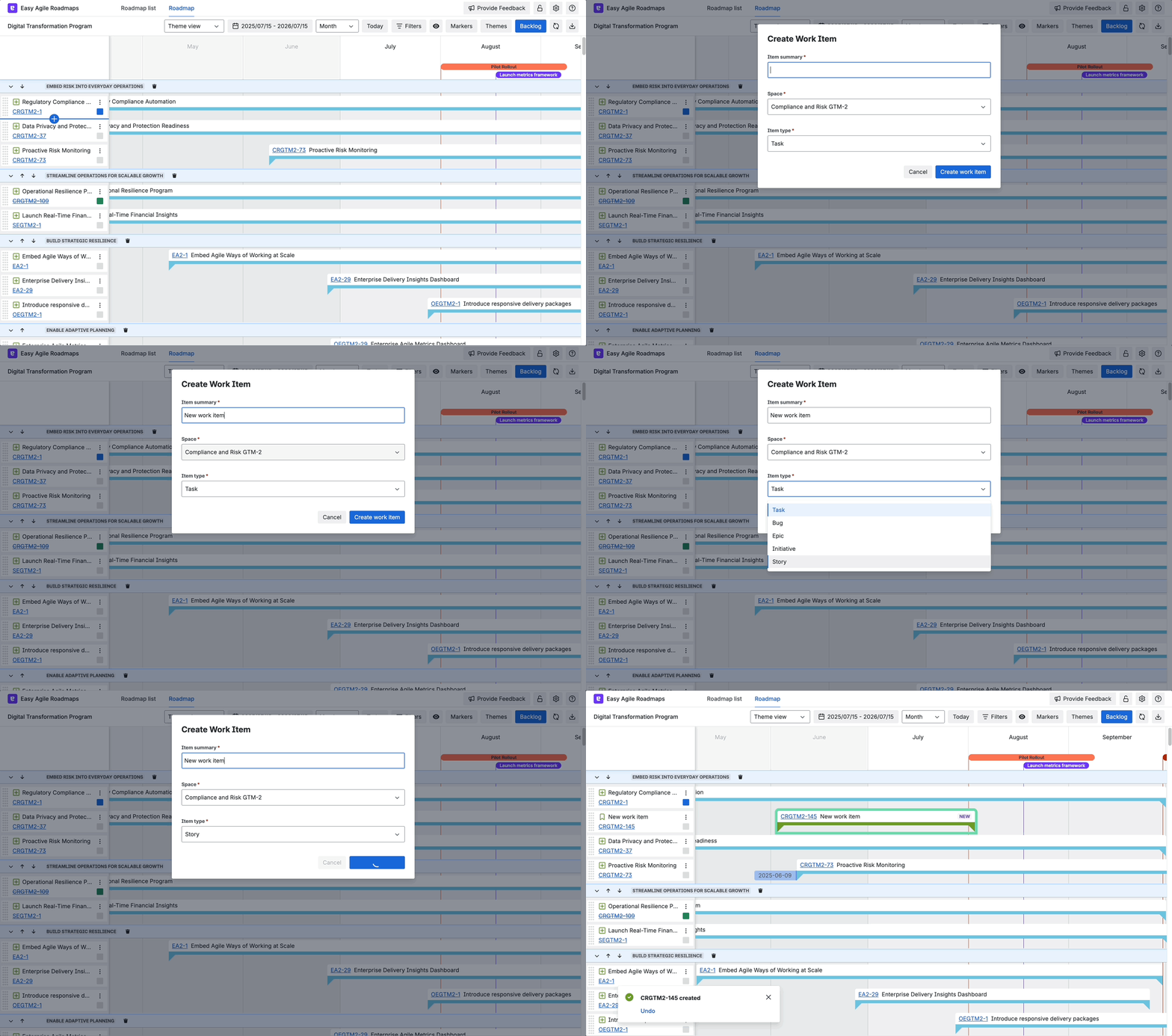
Move your mouse over the left-hand side of a row in the roadmap. A + icon will appear.
2. Click the + icon
Click the + icon to start creating a new work item in that position on the roadmap.
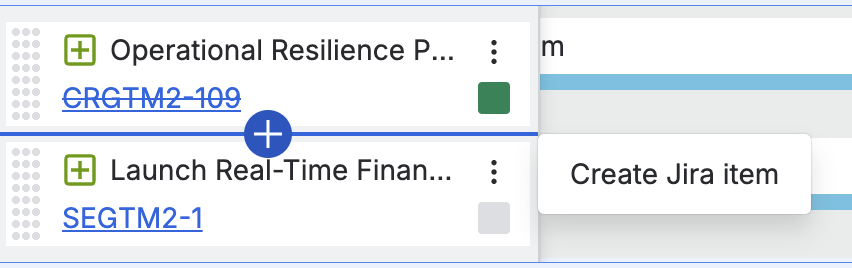
3. Enter the work item details
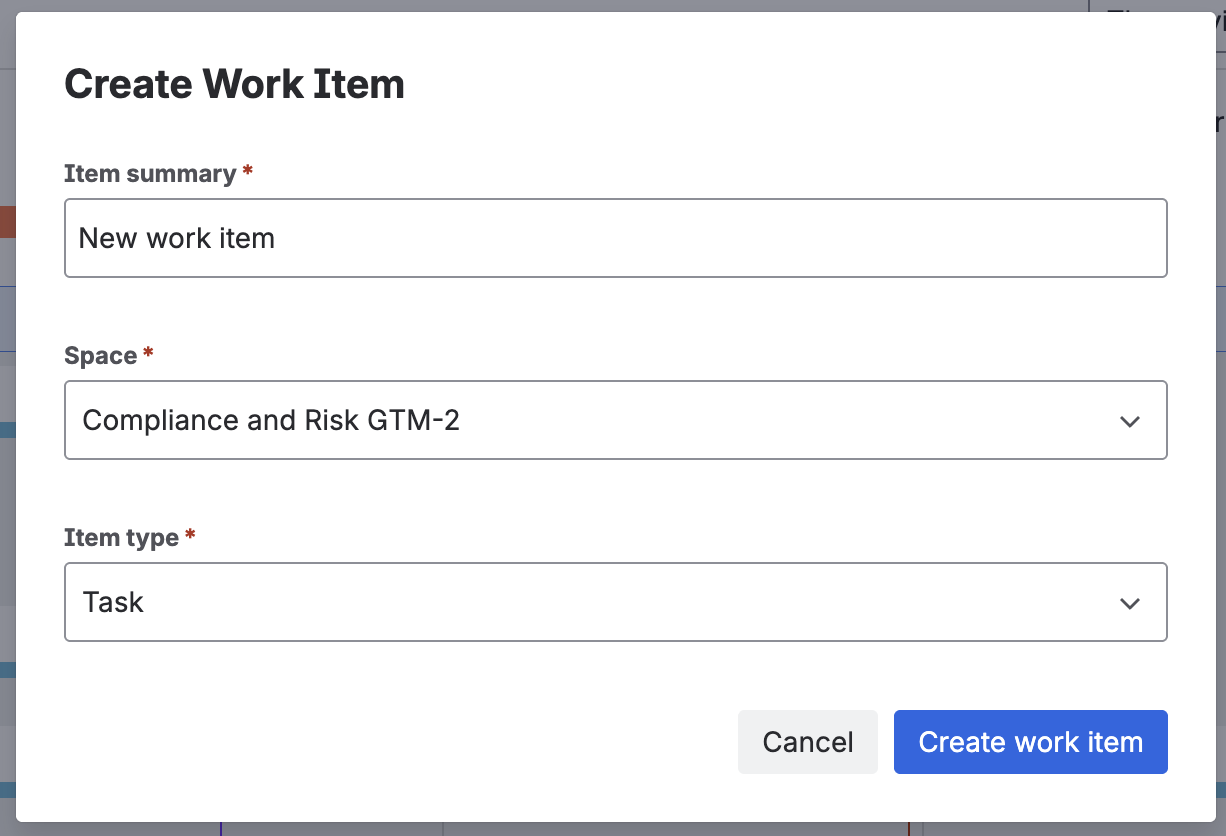
In the Create work item dialog:
-
Item summary - Enter a short summary for the work item.
-
Space - Select the Jira space) where the work item will be created.
-
Item type - Choose the type of work item (for example, Goal, Epic, or Story).
-
-
Create the work item
Click Create work item. The new work item is created in Jira and added to the roadmap in the position you selected.
What happens after you create the work item
-
The work item is created in the selected Jira project.
-
It appears immediately on the roadmap, scheduled in the row where you created it.
-
You can reschedule it, move it, or edit it just like any other item on the roadmap.
Things to know
-
You’ll only see work item types that are available in the selected Jira space.
-
You need permission in Jira to create work items in the chosen space.
-
Creating work items in context does not currently replace adding existing items. You can still add existing Jira work items using the backlog.
-
If you’re not ready to create a Jira work item yet, consider using roadmap items instead.
Coming soon
We’re continuing to improve creating items directly on the roadmap. Upcoming enhancements include:
-
Better support for required fields
You’ll be able to create items from the roadmap even when your Jira project has required fields, without needing to switch to Jira. -
Add existing items in context
In addition to creating new items, you’ll be able to add existing Jira items directly from the roadmap without going through the backlog. -
More options in hierarchy view
We’ll expand in-context actions in hierarchy view, including:-
Adding existing child items to a hierarchy group
-
Creating new child items directly within a hierarchy group
-
These improvements will make it easier to plan and organise work without leaving the roadmap.